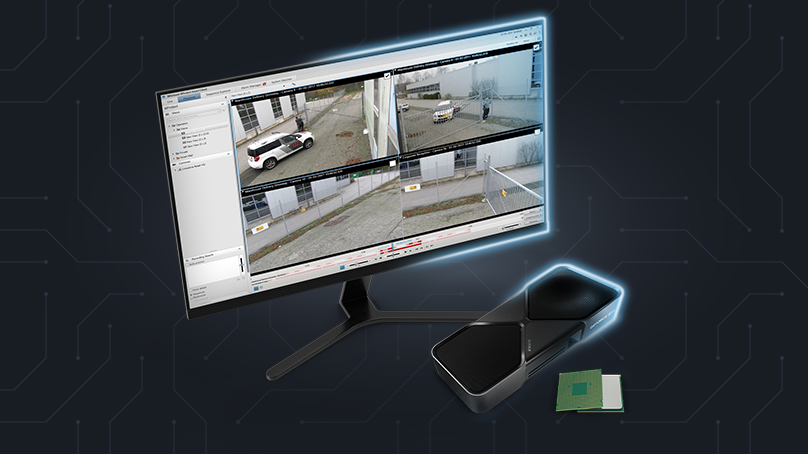
Video analytics in industry increasingly rarely means just archiving recordings or simple motion detection. In practical deployments, it more often involves object recognition, event tracking, zone control, behavior analysis, or automatically triggering system responses based on camera footage.
In such an environment, the question is no longer simply: does the system see the camera feed? What becomes far more important is how many streams need to be analyzed simultaneously, how complex the AI model is, and whether a decision must be made in real time. In small systems, a CPU can still be entirely sufficient — especially when the scope of analysis is limited, the number of cameras is small, and application logic matters more than model inference itself. The problem arises when video analytics begins to scale from a few cameras and simple rules to many streams and models based on neural networks.
CPU in video analytics systems – where it performs best
In many video analysis systems, the CPU remains the core component of the computing infrastructure. Modern processors offer substantial computational power and handle general-purpose tasks well — tasks that make up a significant portion of the video processing pipeline.
In a typical image analytics system, the CPU is responsible for, among other things:
- receiving and managing video streams (e.g. RTSP),
- decoding footage from IP cameras,
- preparing input data for analytical models,
- application logic and integration with higher-level systems such as VMS, SCADA, or MES.
In practice, this means that in many smaller deployments — for example, surveillance systems with a few cameras or simple event analysis — the CPU alone can be entirely sufficient. This is especially true when the analysis relies on simpler algorithms or the number of processed streams is small.
It is only when deep learning models are introduced into the pipeline, and the number of cameras or image resolution begins to grow, that performance issues emerge — requiring a different approach to the system's computing architecture.
What a video analytics pipeline looks like
To understand why at some point a CPU is no longer sufficient, it is worth looking at how image processing actually works in video analytics systems. Regardless of the application — whether it is facility surveillance, warehouse traffic analysis, or production process monitoring — most such systems operate according to a similar pattern.
A typical image processing pipeline can be divided into several stages:
1. Video stream reception and decoding
The system receives footage from cameras — most commonly in the form of RTSP streams. At this stage, the video material is decoded and image frames are prepared for further analysis.
2. Image preprocessing
Image frames are scaled, normalized, or filtered so that they can be passed to the analytical model. In many systems, image stabilization or perspective correction is also performed at this stage.
3. Image analysis by the AI model
The most computationally demanding stage involves AI model inference. In practice, tasks performed here include object detection, event classification, image segmentation, and object tracking across consecutive frames.
4. Result interpretation and system logic
The results of the image analysis are interpreted by the application logic. The system may generate alarms, count objects, log events, or forward data to VMS, SCADA, or MES systems.
In practice, this means that while the CPU handles many elements of the pipeline, the greatest computational load typically occurs at the stage of image analysis by AI models. It is precisely this part of the system that determines how many video streams can be analyzed simultaneously and whether the entire process can run in real time.
Where the CPU falls short – and why a GPU helps
The limitations of CPUs in video analytics do not stem solely from the scale of the system. They appear as soon as the system is expected to perform complex deep learning analysis in real time, even with a small number of cameras. The models used in image analysis — such as object detection, segmentation, or tracking — require an enormous number of matrix operations for each video frame. CPUs are designed primarily for general-purpose tasks and have a relatively small number of cores, making them ill-suited for processing such operations in massive parallel fashion.
In practice, this means that as the number of cameras or the complexity of AI models increases, the processing time per frame grows. When the analytics pipeline cannot keep up with analyzing successive frames, the system starts buffering them, processing with a delay, or skipping some entirely. In surveillance or security systems, this can lead to situations where brief events — such as a person appearing in a restricted zone or a fast-moving object — simply go undetected. Research on multi-camera video analytics systems shows that an increasing number of streams significantly raises frame processing latency, directly affecting the system's ability to operate in real time.
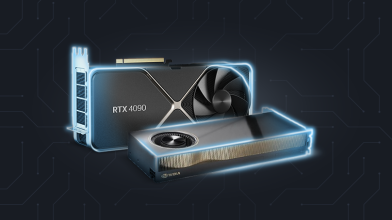
This is why GPU acceleration plays a key role in modern video analytics systems. Graphics processors are designed for massively parallel data processing and, instead of a dozen or so CPU cores, offer hundreds or thousands of compute units capable of simultaneously executing matrix operations. This is exactly the type of workload that occurs in neural networks analyzing images.
In practice, this means that in modern vision AI systems, CPUs and GPUs serve different roles. The CPU handles video stream management, application logic, and integration with other systems, while the GPU takes over the most computationally intensive tasks related to AI model inference and real-time image analysis.
CPU vs GPU in practice – performance differences
The differences between CPU and GPU are especially visible in tasks that use deep learning models for image analysis. Object detection models — such as YOLO — perform an enormous number of matrix operations for each analyzed video frame.
In systems relying solely on a CPU, performance issues arise quickly. Processors are designed primarily for general-purpose tasks and have a relatively small number of cores, so when running deep learning inference, frame processing time increases with model complexity or the number of cameras. Benchmarks published by the YOLO project community show that when analyzing 1080p video, CPU inference often achieves only 1–8 FPS for a single video stream1.
YOLO Inference Performance – CPU (i7-6850K)2
In practice, this means that even with just a few cameras the analytics pipeline begins to lag. If the frame analysis time exceeds the interval between consecutive frames in the video stream, the system starts processing data with a delay or skipping some frames entirely.
A GPU solves this problem through a fundamentally different computing architecture. Instead of a dozen or so CPU cores, graphics processors offer hundreds or thousands of compute units that can simultaneously execute matrix operations used in neural networks. In YOLO performance tests published by the OpenCV community, models running on a GPU achieve tens or even over a hundred frames per second, depending on the model and hardware.
YOLO Inference Performance – GPU (GTX 1080 Ti)2
On newer GPUs, the performance gap is even more pronounced:
YOLO Inference Performance – GPU (RTX 4090)2
This is even more evident in systems analyzing multiple cameras simultaneously. A study on multi-camera video analytics systems demonstrated that implementing image analysis algorithms on a GPU can be up to 21.88 times faster than the equivalent running on a CPU3.
In practice, this means that a server equipped with a GPU can simultaneously analyze dozens of 1080p streams, while a system based solely on a CPU often reaches its limits with just a few cameras.
Equally important, GPU architecture is far more future-proof in the context of video analytics development. The AI models used in vision systems are constantly growing in complexity and parameter count, and new algorithms — such as transformer-based models for computer vision or multimodal event analysis systems — require even greater computational power. GPU platforms therefore allow not only to boost the performance of existing systems, but also to preserve the ability to scale the analytics infrastructure alongside the next generations of AI models.
How to choose the right computing platform for video analytics
The choice of computing platform for a video analytics system depends primarily on the scale of the installation, the number of cameras being analyzed, and the complexity of the AI models. In practice, several typical infrastructure scenarios can be distinguished.
In small systems covering a few cameras and simple analytics — such as motion detection, object counting, or basic image analysis rules — solutions based solely on a CPU are often sufficient. In such applications, the main workload is video stream management and application logic, not AI model inference.
The situation changes, however, when the system uses deep learning models and analyzes footage from many cameras simultaneously. In such scenarios, GPU acceleration becomes necessary to maintain real-time analysis and to scale the system as the number of cameras or model complexity grows.
In practical industrial deployments, video analytics infrastructure typically takes three architectural levels:
Edge AI
Small computers that analyze footage directly at the camera or device. Such solutions reduce transmission latency and network load, which is why they are commonly used in infrastructure monitoring systems, industrial automation, and intelligent transportation systems.
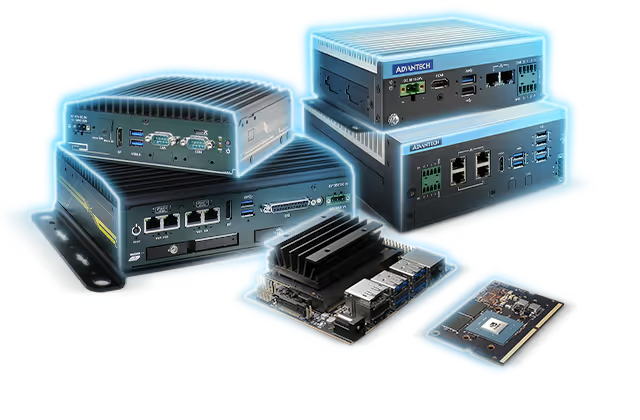
Read more about computers with NVIDIA Jetson or browse available computers in the store.
Industrial computers with GPU
Computing platforms that analyze multiple video streams simultaneously. Systems of this type are used in manufacturing plants, logistics centers, and security systems where image analysis from dozens of cameras is required.
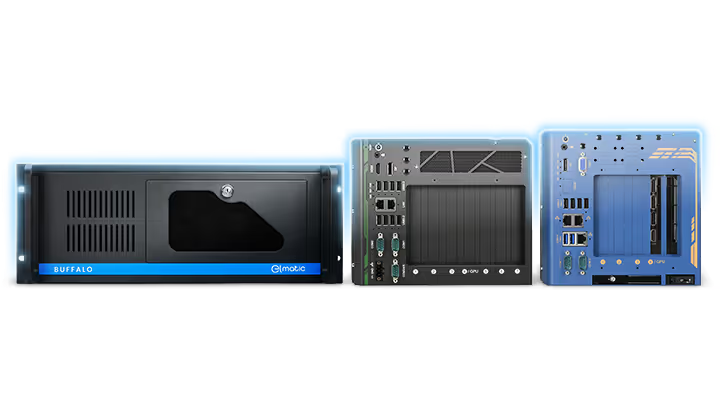
Discover Elmatic AI industrial computers with NVIDIA RTX and explore selected models.
AI Servers
Solutions designed for the largest installations, where a very high number of video streams are analyzed or more complex analytical models are used. GPU servers enable centralized processing of data from many cameras and running more advanced image analysis pipelines.
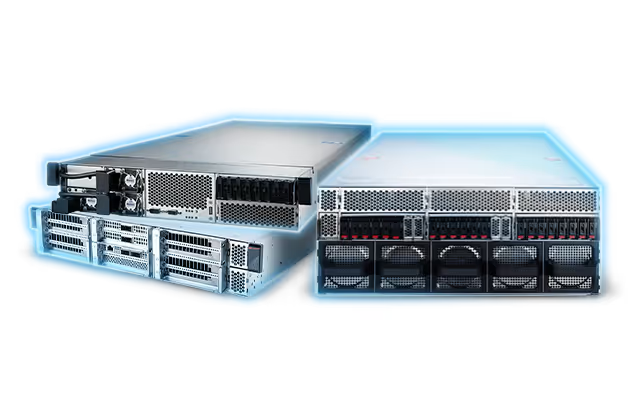
Explore NVIDIA MGX solutions from Elmatic — scalable platforms for the most demanding applications.
More examples of such platforms — from edge AI systems to GPU servers — can be found among the solutions presented on the AI infrastructure for industry page (https://ai.elmatic.net).
CPU and GPU – complementary elements of AI infrastructure
Comparing CPU and GPU in video analytics does not come down to a simple question of which architecture is "better." In practice, modern vision AI systems rely on the collaboration of both processor types, each playing a different role in the image processing pipeline.
The CPU is primarily responsible for system management — handling video streams, application logic, and integration with other IT systems. The GPU, in turn, takes over the most computationally intensive tasks related to image analysis and AI model inference.
As the number of cameras grows and deep learning models become increasingly complex, the importance of GPU acceleration in video analytics systems will continue to rise. New generations of vision AI models — including transformer-based architectures and multimodal systems — require even greater computational power than classical convolutional networks.
This is why, when designing video analytics infrastructure, it is crucial not only to ensure adequate performance today, but also to maintain the ability to further develop the system. GPU platforms — from edge AI systems to GPU-accelerated servers — allow building an architecture that can scale alongside growing camera counts, model complexity, and new image analysis use cases.
In practice, this means that the GPU is becoming the foundation of modern vision AI infrastructure — enabling not only real-time image analysis, but also the construction of systems ready for the next generations of artificial intelligence algorithms.
We will help you choose the optimal NVIDIA AI platform
Whether you are just starting an AI project or expanding an existing infrastructure — we will advise you on which solution will work best in your case. We provide support from the concept stage, through hardware selection, all the way to finding an integrator and after-sales service.
Write to us or give us a call, and our team will help you choose the optimal solution and guide you through every stage of the implementation.
elmatic@elmark.com.pl
22-763-91-03
References:
1 Improving YOLOv5 Inference Speed on CPU for Detection
2 Performance Comparison of YOLO Object Detection Models – An Intensive Study
3 Real-time multi-camera video analytics system on GPU