Personal AI Supercomputer Based on NVIDIA DGX Spark Platform for Deep Learning
from €4,495.65 €3,655.00
Product out of stock

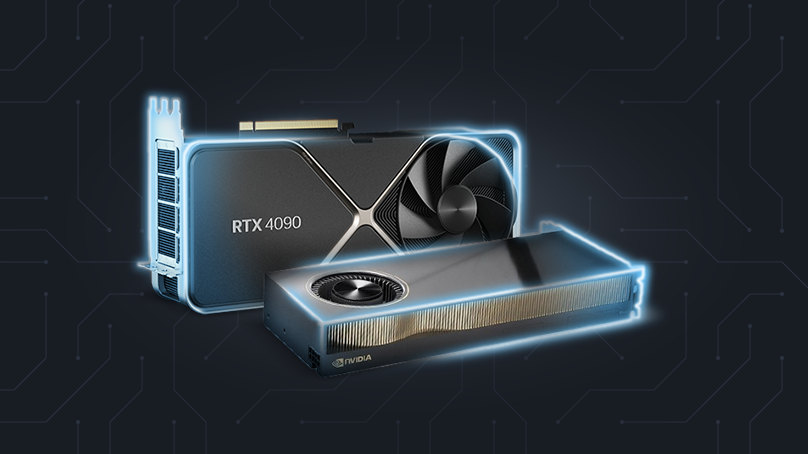
In AI projects, the choice of GPU determines whether the system will be scalable, stable and cost-effective. Industrial and enterprise companies often start with a GPU that is too weak or poorly matched, which after a few months leads to limitations when developing models, issues with 24/7 operation, or the need for costly hardware replacement.
It is crucial to understand that AI encompasses many types of workloads – inference, training, stream processing, multi-service work. Each of them requires a different class of GPU. That is why in this article we describe a method for selecting a GPU, not a list of models. The point is to match the hardware to the use case and avoid later costs resulting from uninformed decisions.
In AI, it is not "teraflops" themselves that matter, but rather how the card copes with a specific type of workload. That is why, instead of comparing models, it is worth paying attention to a few parameters that actually affect how the system operates.
In the case of large language models (LLaMA, Mistral, etc.), the number one limitation is VRAM. For models on the order of 70B parameters, industry sources cite typical ranges of around 32–48 GB of VRAM and more, often with the assumption of running on multiple GPUs, with model sharding or quantization to "squeeze" it into a single card.
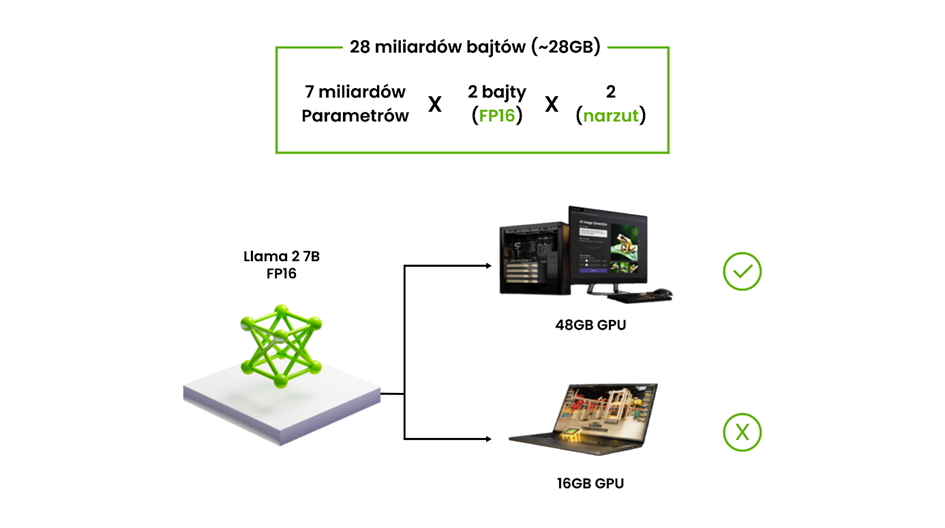
These numbers are not theoretical – they come from the practice of fine-tuning and running LLMs on local servers and in data centers. Community discussions and tool documentation show that at full precision even a 7B model can require tens of GB of VRAM during training, and 70B is the natural boundary where multi-GPU becomes the standard, not a curiosity.
RAG (Retrieval-Augmented Generation) is today a typical pattern: LLM + vector search + additional models (classification, extraction, sometimes vision). Such systems are usually run as a production service, available via API, often with autoscaling and support for many parallel queries.
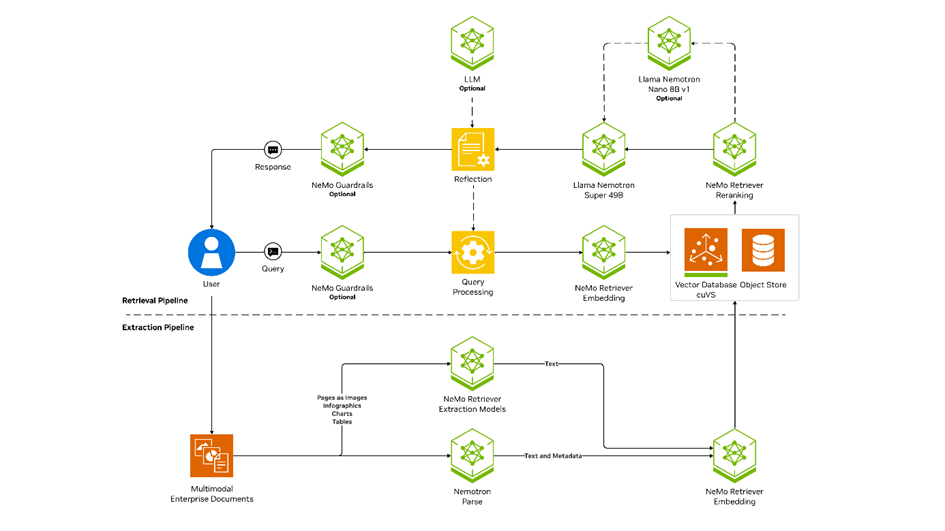
This imposes two requirements:
The documentation of LLM serving tools explicitly assumes multi-GPU configurations as the standard for larger models – a single card becomes a bottleneck rather than the foundation of the architecture.
In vision systems – such as quality control, object recognition, safety, or video analysis in logistics and monitoring – the GPU operates in continuous mode, often handling multiple streams simultaneously. In such environments, it is not only VRAM and bandwidth that matter, but also driver stability and a long support cycle, which is why enterprise-class solutions, e.g. NVIDIA AI Enterprise, offer multi-year LTSB branches with guaranteed API stability and regular security patches, so that critical systems do not stop working after updates.
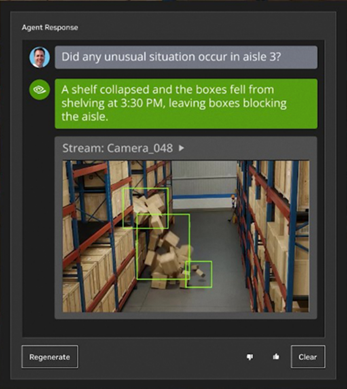
At the same time, advanced vision and multimodal models (VLMs), which combine text and image, additionally have a characteristic load profile: large models process heavy input data – high resolutions, multiple channels, 4K streams. This simultaneously forces high VRAM and high memory bandwidth, because with too low bandwidth, even a large number of cores will not prevent the model from "choking".
To avoid hardware mismatch, a simple procedure works well:
5 steps to selecting infrastructure
LLM, VLM, vision, RAG, training - each has different requirements.
A key parameter that eliminates wrong choices.
In training, more important than nominal power.
Does it work on multiple GPUs? API 24/7? More users?
Energy, cooling, failure rate, life cycle, expansion.
Selecting a GPU solves only part of the problem. In corporate AI deployments, it quickly turns out that performance is determined not by the card itself, but by the entire architecture: cooling, the ability to expand, driver stability, 24/7 operation and handling multiple models simultaneously. That is why, in industrial and enterprise applications, teams most often move from a single GPU to ready-made workstations or servers designed specifically with AI in mind.
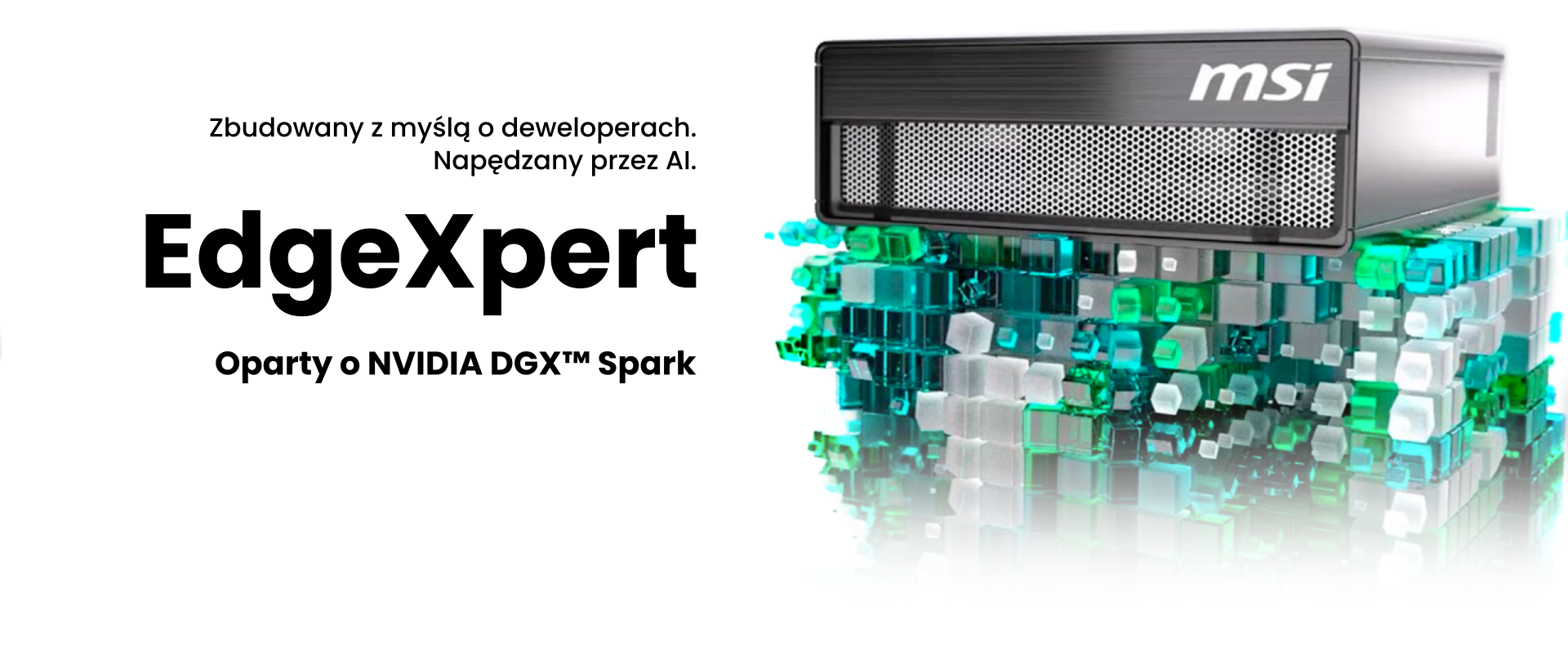
DGX Spark in the MSI EdgeXpert version is a local AI workstation based on the NVIDIA Blackwell architecture, combining a 20-core Arm processor with a next-generation GPU via NVLink-C2C. The system offers 128 GB of unified LPDDR5x memory, shared between the CPU and GPU, and 4 TB of fast storage, which enables smooth running and training of LLMs, VLMs and vision systems. Performance at the level of 1000 AI FLOPS (FP4) means that Spark delivers server-class computing power in a desktop format. MSI EdgeXpert is a complete hardware-software solution for developers, researchers and R&D teams who need the full power of AI without building a server back-end.
You will find more details in our article, and you can check the full specification in the Elmatic store.
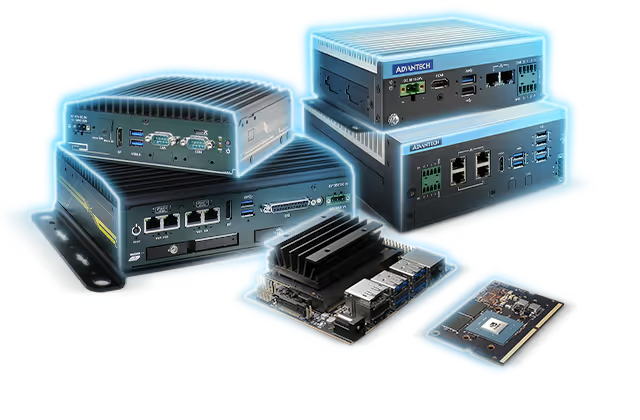
Computers based on NVIDIA Jetson are compact edge AI systems, designed for local analysis of data from cameras and sensors without the need to use the cloud. The integrated GPU accelerator provides high performance at low power consumption, which makes these devices well-suited for object detection, video analysis and real-time signal processing. Many models are equipped with PoE or GMSL, which makes integration with industrial cameras and automation systems easier. This is a practical solution where low latency, reliability and operation close to the data source are key.
Specifications of individual Jetson models can be found in the Elmatic store.
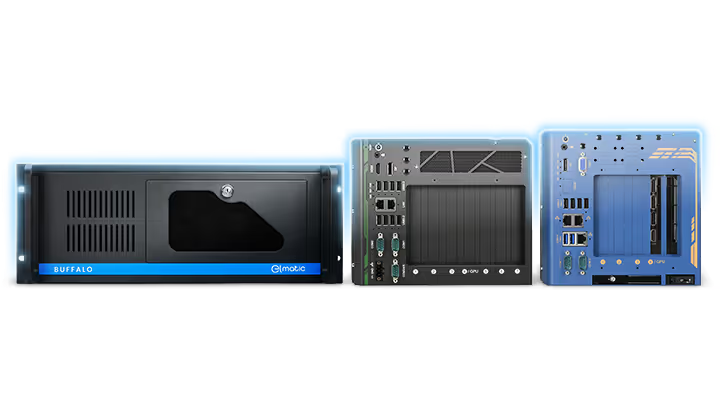
Elmatic workstations based on NVIDIA RTX GPUs are intended for tasks that require more computing power and stable continuous operation: training ML models, image analysis, industrial vision, simulations or handling more complex AI pipelines. Compared to consumer computers, they offer predictable cooling, certified drivers, the possibility of multi-GPU configuration and a long support cycle. Thanks to this, they work well both in R&D teams and in production environments, where repeatability of operation and scalability are required.
Available RTX workstation configurations can be reviewed in the Elmatic store.
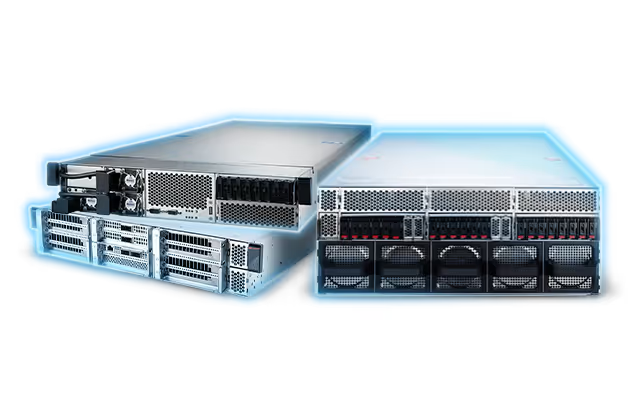
Platforms based on NVIDIA MGX are a modular server environment designed to support advanced AI and HPC applications in companies and data centers. MGX enables the construction of systems with configurable accelerators – GPU, CPU and DPU – and flexible memory, cooling and power modules, which makes it easier to adapt the platform to the specifics of the workload and future expansions. Thanks to this, the same architecture can be used both for training large AI models and for video analysis, digital twins, predictive maintenance, or edge AI at the scale of an entire plant. MGX stands out for its modularity, which allows hardware and software compatibility to be maintained as AI technology evolves and project requirements grow.
See the available configurations of NVIDIA MGX platforms in the Elmatic store.
Selecting a GPU starts with an analysis of real workloads – language models, multimodal models, vision systems, RAG or training – and ends with the choice of an architecture that will be able to handle them today and in the future. In commercial applications, it is precisely the architecture of the entire system, and not a single graphics card, that determines performance, stability and scalability.
If you want to select hardware for a specific application or build an AI-ready environment, you can use Elmatic's ready-made configurations or request a recommendation tailored to your workload. It is also worth visiting ai.elmatic.net, where we have gathered extensive materials on accelerated computing, GPUs, NVIDIA platforms and practical applications of artificial intelligence in industry and IT.
Personal AI Supercomputer Based on NVIDIA DGX Spark Platform for Deep Learning